WingLabs Attitude Indicator – Horizontal (WL-AI-H169)
$74.99
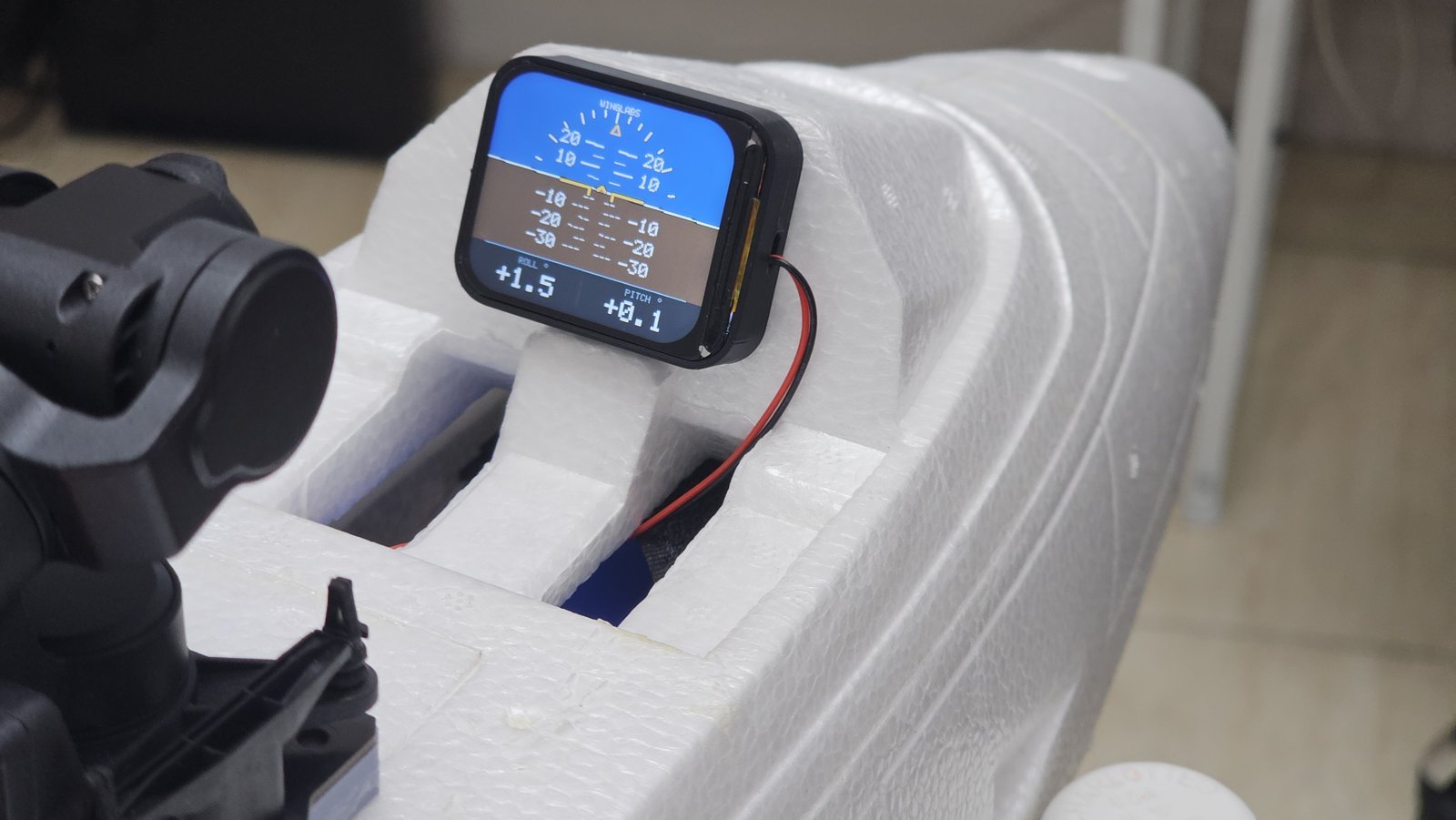
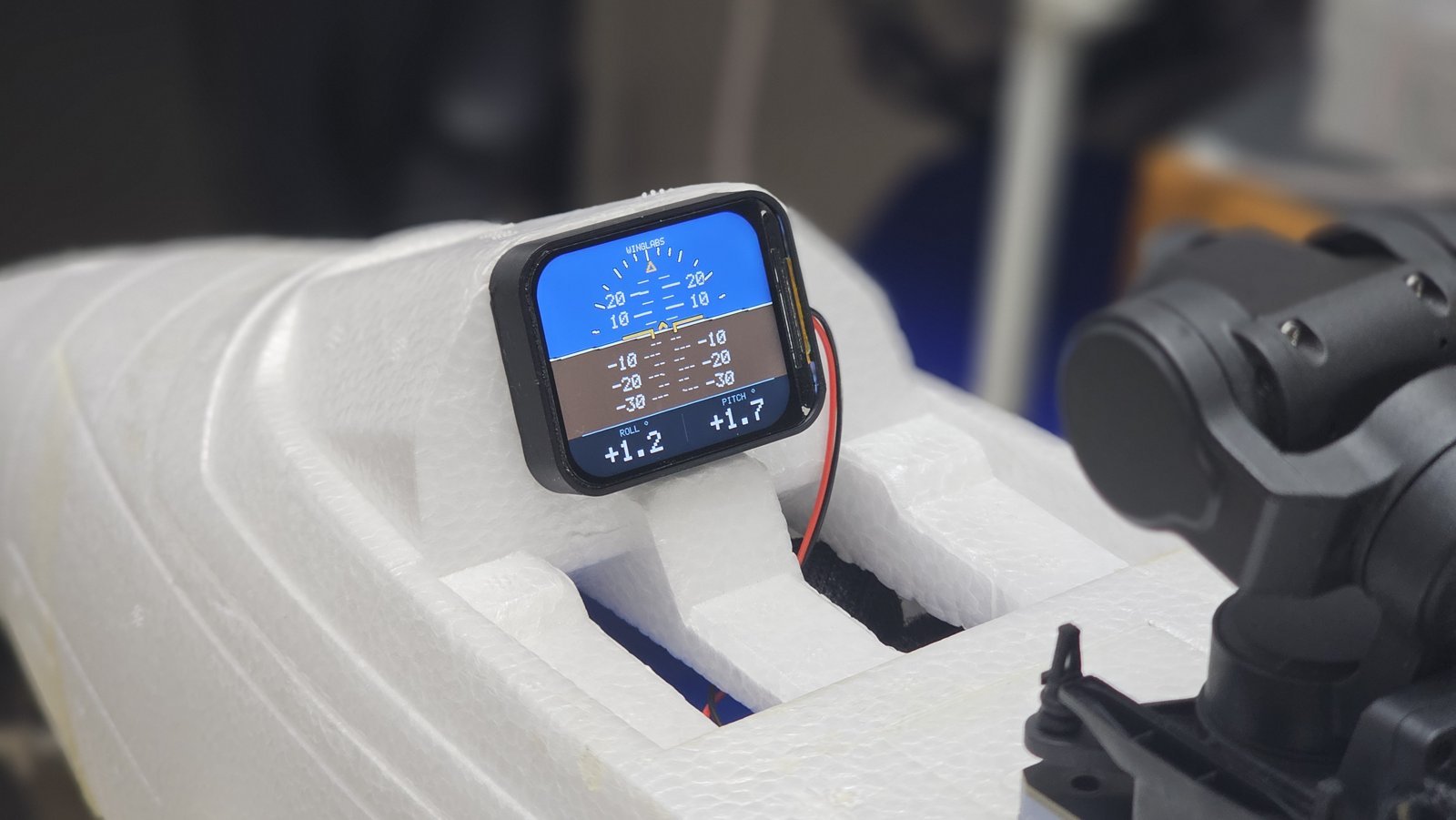
Full-colour RC artificial horizon in a horizontal (landscape) layout. Shows bank and pitch in real time from its own 6-axis sensor. Shipping included.
Description
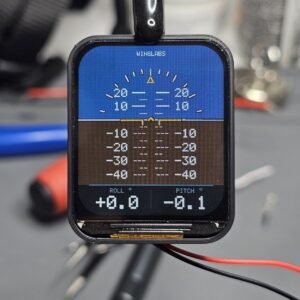
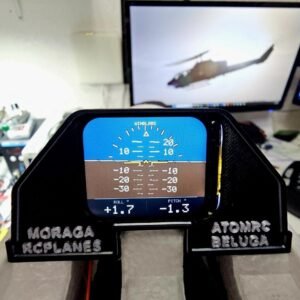
A compact, full-colour artificial horizon for your RC model. The WingLabs Attitude Indicator shows bank and pitch in real time from its own 6-axis motion sensor. It needs no connection to your receiver’s signal or flight controller: plug it into any free channel for power, and it does the rest.
Horizontal model (WL-AI-H169): landscape display layout, ideal for wide instrument panels and cockpits with more width than height. A vertical (portrait) version, WL-AI-V169, is also available and works in exactly the same way.
Price includes shipping.
Features
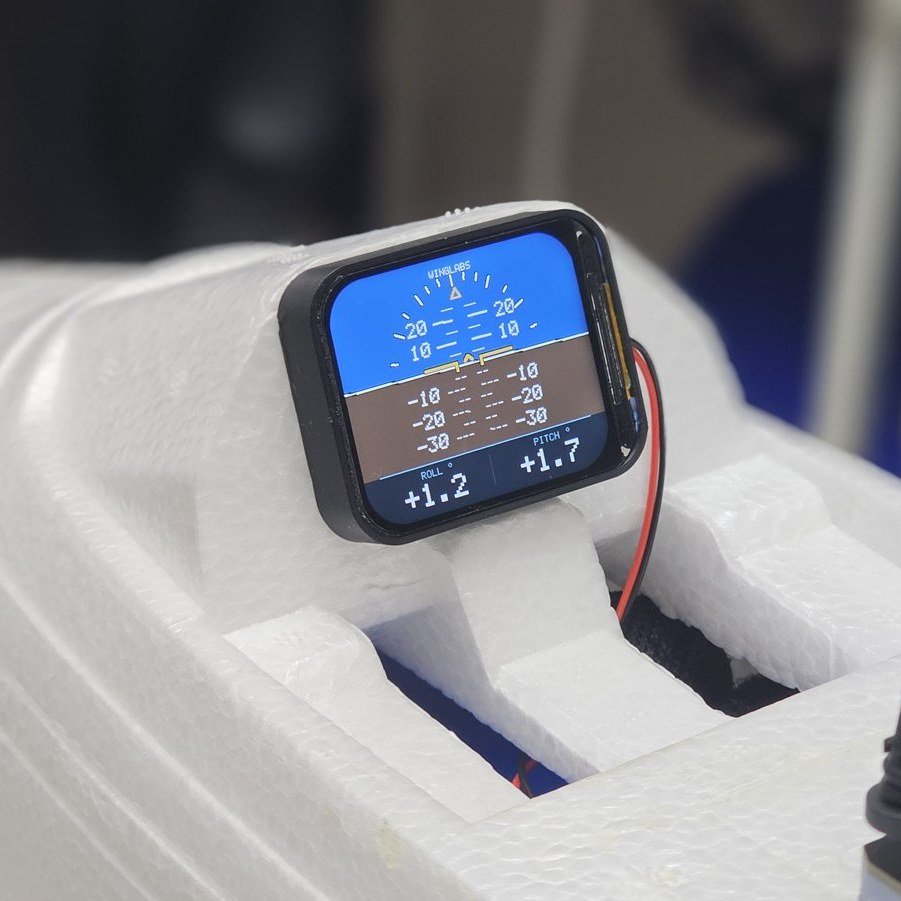
- Real artificial horizon: moving horizon, pitch ladder (5° steps, numbered every 10°), bank scale with gold pointer and a fixed aircraft symbol, just like a full-size instrument.
- Live roll and pitch readouts with 0.1° resolution and up to 25 frames per second.
- Plug and play power: runs from any free receiver channel or a 5 V BEC through its servo lead. Nothing to set up on your transmitter.
- Automatic calibration at power-up: measures sensor bias and captures the level reference in 20 to 30 seconds, and retries on its own if it detects movement.
- Built-in Wi-Fi control panel: view live values, set the pitch offset and update the firmware from any phone, tablet or computer. No app and no internet needed.
- Adjustable pitch offset (-45.0° to +45.0°, stored permanently) so level flight reads 0.0 even on models that rest nose-up on their gear.
- Radio friendly: very low power Wi-Fi (about 7 mW) that switches off automatically after 60 seconds without a connection, after 10 minutes, or as soon as the aircraft moves.
- Clear status indications: IMU LOST if the sensor stops delivering data, and LIMIT when the attitude is beyond the display range.
- Genuine and traceable: every unit has a unique serial number and a hardware-protected credential; the control panel shows AUTHENTIC for a genuine WingLabs unit.
Specifications
| Model | WL-AI-H169, horizontal (landscape) layout |
| Display | 1.69″ colour IPS LCD, 240 x 280 pixels |
| Processor | ESP32-S3 dual core, 240 MHz, 16 MB flash, 8 MB PSRAM |
| Motion sensor | QMI8658 6-axis (3-axis gyroscope, 3-axis accelerometer) |
| Displayed range | Bank ±80°, pitch ±40° |
| Readout resolution | 0.1° |
| Display refresh | Up to 25 frames per second |
| Start-up time | 20 to 30 seconds including calibration |
| Pitch offset | -45.0° to +45.0°, stored permanently |
| Wi-Fi | 2.4 GHz access point, 8.5 dBm (about 7 mW) |
| Wi-Fi availability | 60 s connection window, 10 min maximum, off when the aircraft moves |
| Power | 5 V (5.5 V maximum) through the servo lead, from the receiver or a BEC |
| Firmware | 1.5 |
| Warranty | 12 months against defects in materials and workmanship |
Important
- Use 5 V only (5.5 V maximum). Never connect it to 6 V, 7.4 V or 8.4 V (HV) receivers or BECs: it will damage the unit and is not covered by the warranty.
- Observe polarity: black wire negative (-), red wire positive (+).
- For radio-controlled model aircraft only. This is a visual aid, not a certified instrument; always fly by direct visual contact with your model.
- Any RC receiver with a free channel (power only, 5 V)
- Any 5 V BEC output (5.5 V maximum)
- NOT compatible with 6 V, 7.4 V or 8.4 V (HV) power systems
- Fixed-wing RC model aircraft with room for a 1.69" instrument
- WingLabs Attitude Indicator (WL-AI-H169)
- Servo power lead
Installation
Mount the instrument rigidly in the cockpit or on the instrument panel, screen facing the pilot or camera, top edge parallel to the wings. Plug the servo lead into any free receiver channel or a 5 V BEC (black -, red +). Power up with the aircraft still and wings level, and wait 20 to 30 seconds for CALIBRATION OK and the live display. Set a pitch offset over Wi-Fi if your model rests nose-up.
Resources
Do I need to configure anything on my transmitter?
No. The instrument only takes power from the servo lead; the channel signal is not used.
What voltage can I use?
5 V, with 5.5 V as the absolute maximum. Do not connect it to 6 V, 7.4 V or 8.4 V (HV) receivers or BECs.
Why does the display show nose-down in level flight?
Many models rest nose-up on their landing gear. Set a positive pitch offset from the Wi-Fi control panel so level flight reads 0.0.
Will the Wi-Fi interfere with my radio?
It runs at about 7 mW and switches off after 60 seconds without a connection, after 10 minutes, or as soon as the aircraft moves.
How do I connect to the control panel?
Within 60 seconds of power-up, join the WingLabs Wi-Fi network (password winglabs) and open http://192.168.4.1.
Can I update the firmware?
Yes, over Wi-Fi from the control panel using an official WingLabs .bin file for your model. It takes about one minute.
What is the warranty?
12 months against defects in materials and workmanship. Wrong voltage, reversed polarity, crashes and opening the unit are not covered.