| Status | In Development |
|---|
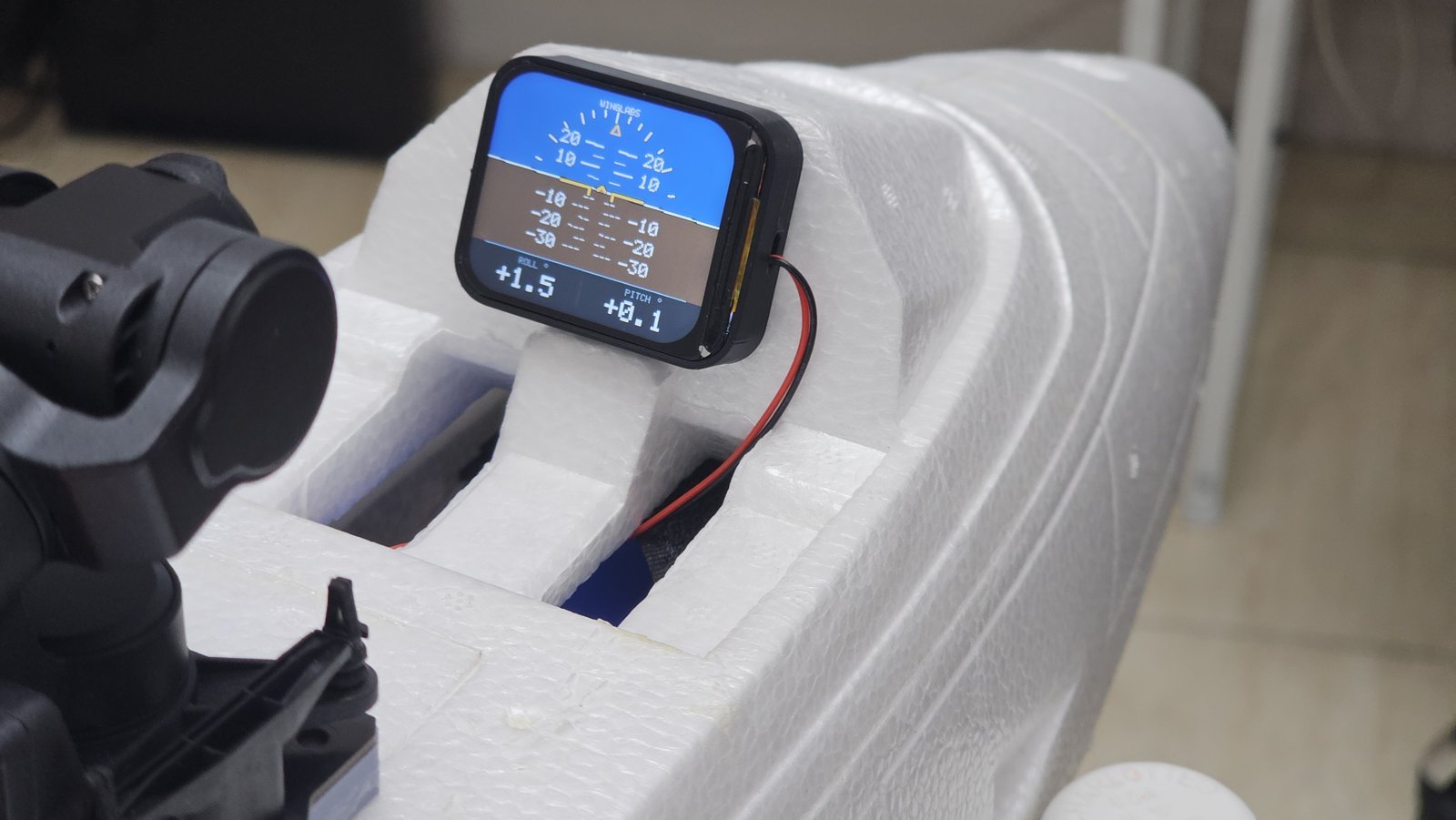
The WingLabs Digital Attitude Indicator is a compact, full-colour artificial horizon for RC aircraft. It shows bank and pitch in real time from its own motion sensor, and it works completely on its own: no flight controller, no telemetry link and no programming required. Plug it into a free receiver channel, mount it in the cockpit and it comes alive.
Why I built it
A scale cockpit looks great until you notice that nothing in it moves. Real aircraft have a working artificial horizon right in front of the pilot, and I wanted RC models — and FPV or on-board camera footage — to have the same thing.
Most existing options rely on a flight controller and OSD, which means extra wiring, configuration and a setup many sport and scale flyers simply don’t have. My goal was an instrument that is self-contained: its own sensor, its own processor, its own display and firmware, installed as easily as a servo.
What it does
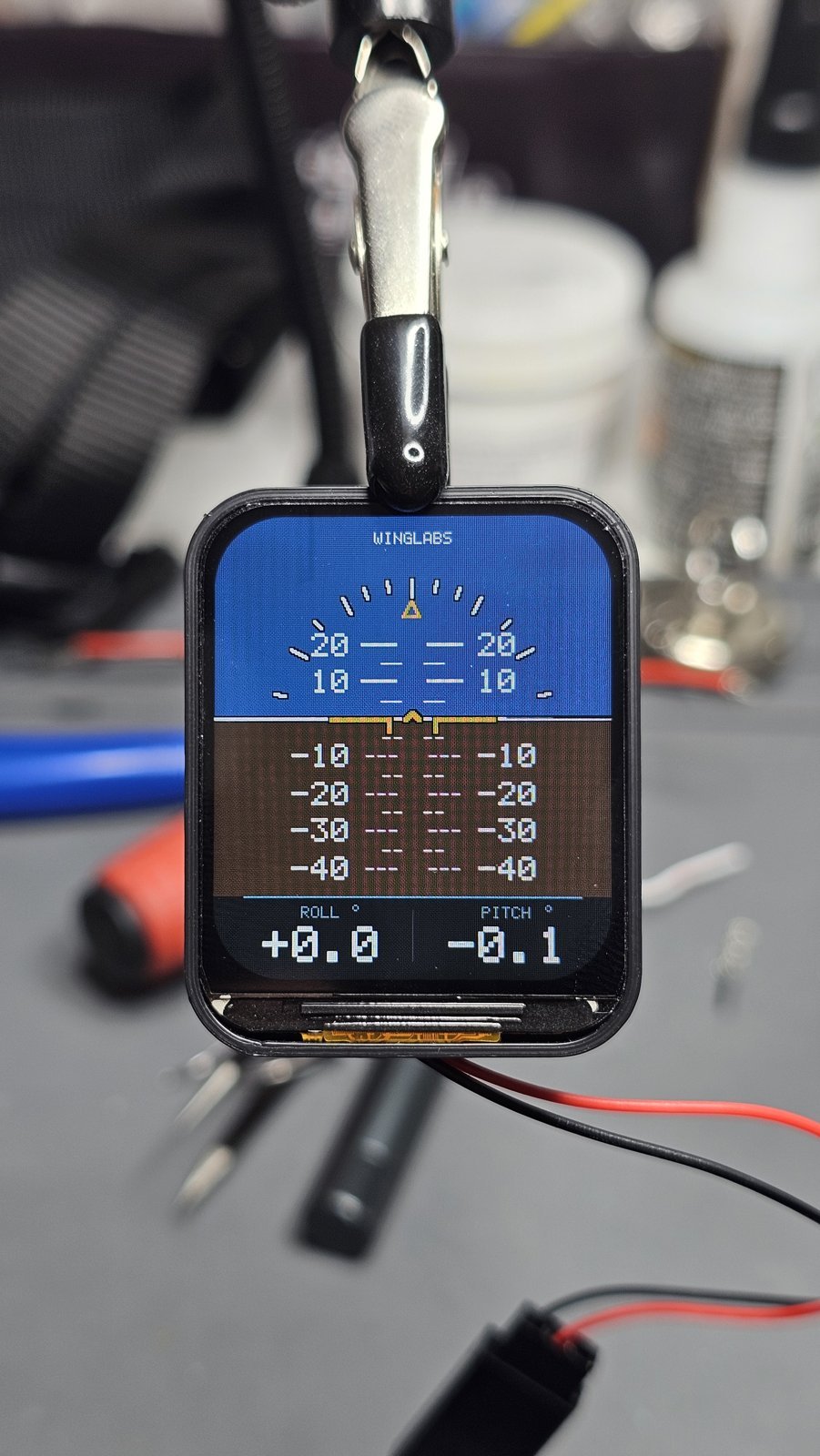
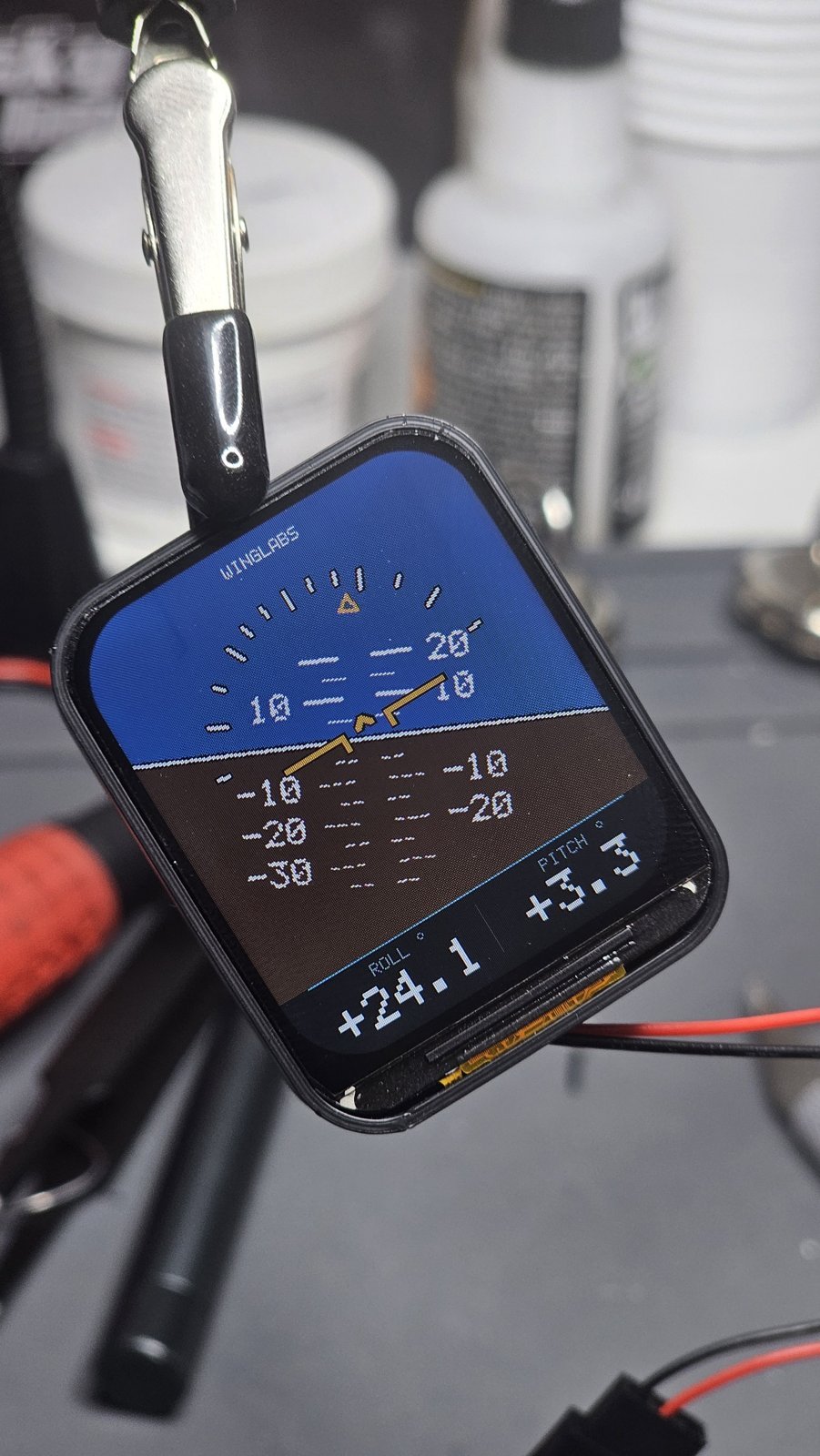
- Live roll and pitch on a 1.69″ colour IPS display, with a moving horizon, pitch ladder and bank pointer — just like a real attitude indicator.
- Numeric roll and pitch readouts with 0.1° resolution.
- Fully standalone: powered from any free receiver channel through a standard servo lead.
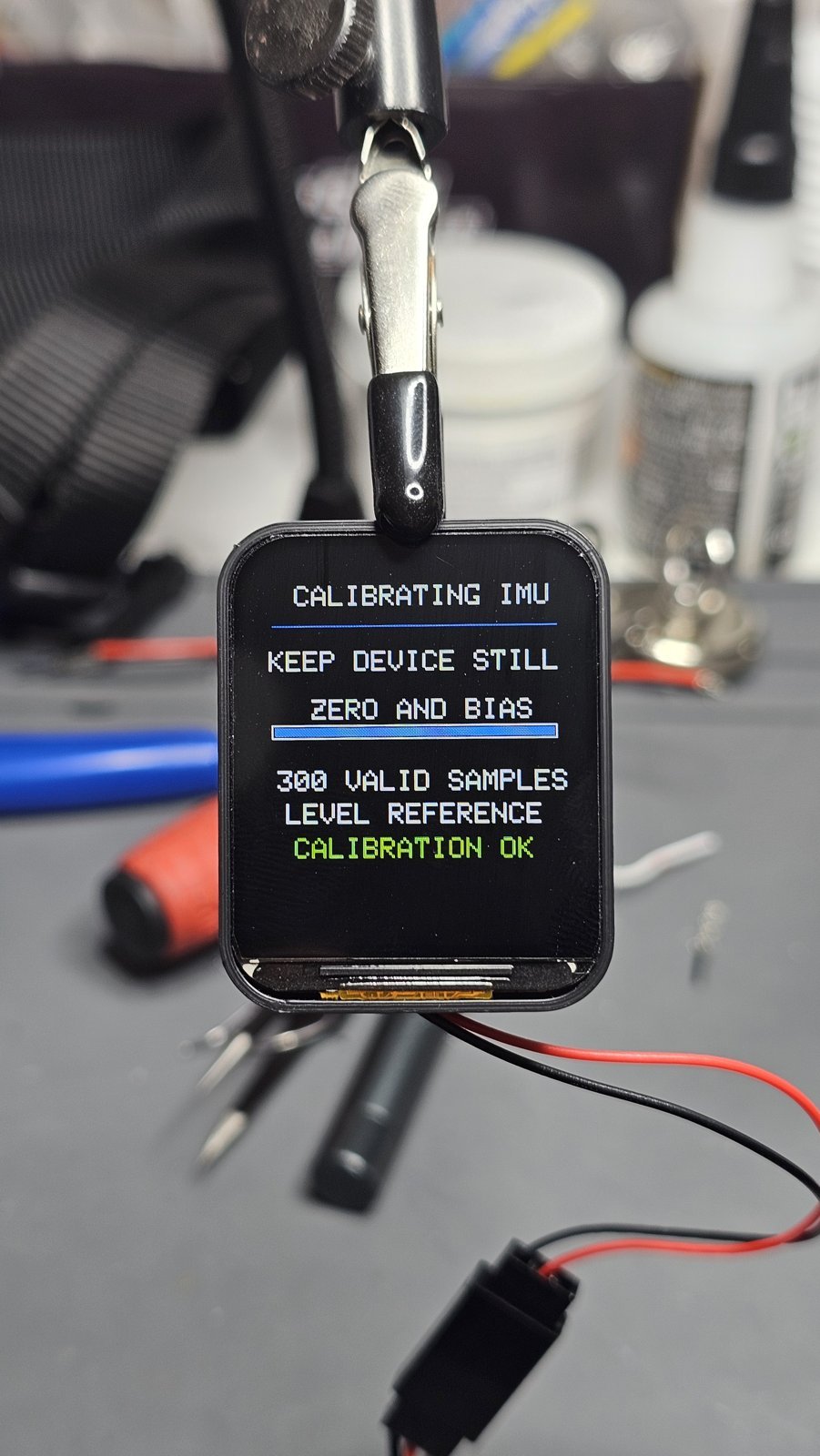
- Automatic calibration at every power-up, with a level reference taken from the aircraft’s resting attitude.
- Adjustable pitch offset for models that sit nose-up on their landing gear.
- Built-in Wi-Fi control panel for live values, settings and firmware updates — no app and no internet needed.
- Clear status indications: IMU LOST if the sensor stops responding and LIMIT when the attitude is beyond the display range.
How it works
Inside is an ESP32-S3 dual-core processor paired with a QMI8658 6-axis IMU (3-axis gyroscope and 3-axis accelerometer). The firmware fuses both sensors to estimate the aircraft’s attitude and redraws the display at up to 25 frames per second.
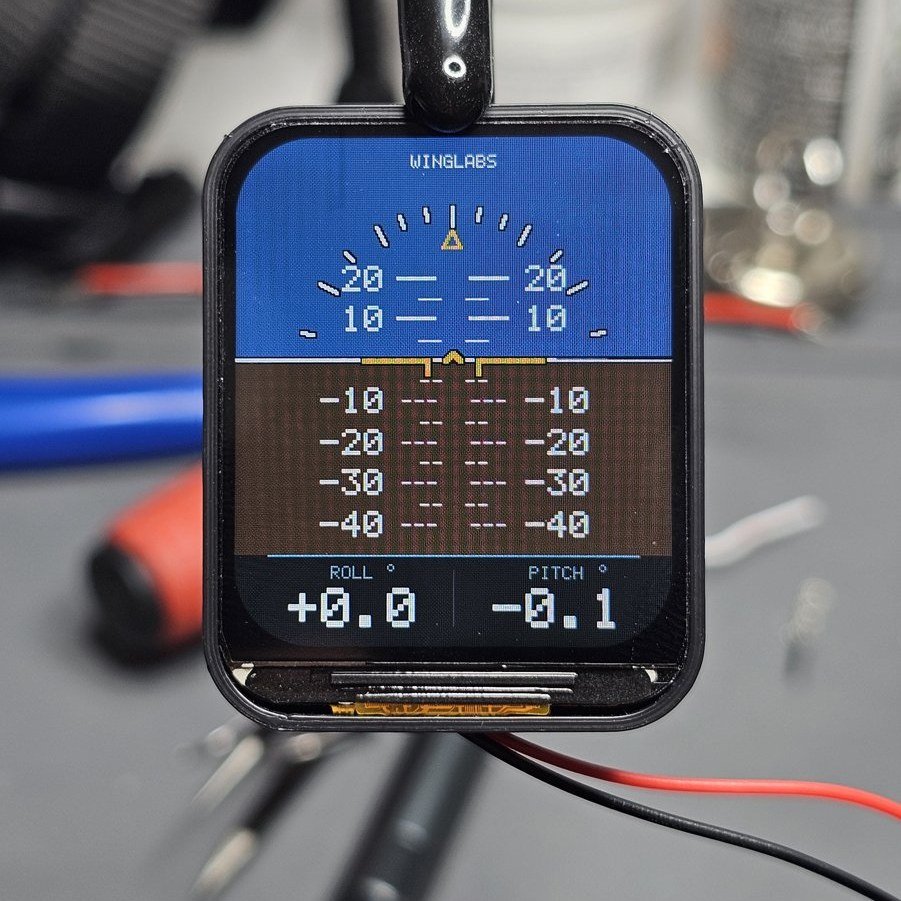
The aircraft symbol in the centre stays fixed while the horizon, pitch ladder and bank pointer move around it, exactly as the real horizon would appear from the cockpit. Positive roll is a right bank, positive pitch is nose up. Each ladder line represents 5°, with numbered lines every 10°. The display covers ±80° of bank and ±40° of pitch.
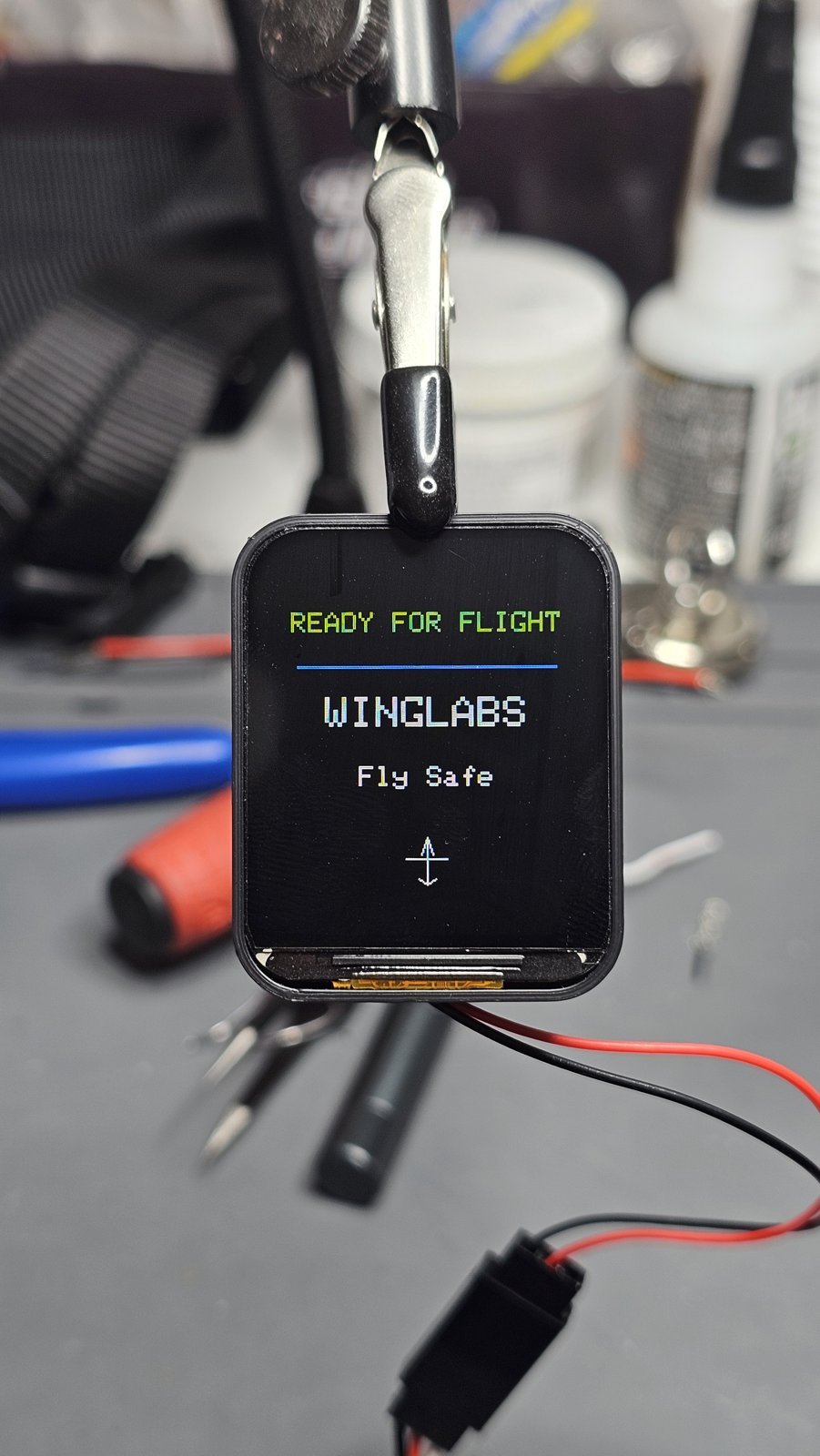
At power-up the instrument runs a short system check, measures the sensor bias and captures the current attitude as its level reference. If it detects movement or vibration during calibration, it simply restarts the measurement until it gets a clean result. From switch-on to live display takes 20 to 30 seconds.
Installation and setup
The instrument is powered through its servo lead from the receiver or a BEC at 5 V (5.5 V maximum). Mount it rigidly in the cockpit or on the instrument panel, with the top edge of the screen parallel to the wings. The panel can stand upright or lean back like a real instrument panel — as long as the angle stays fixed.
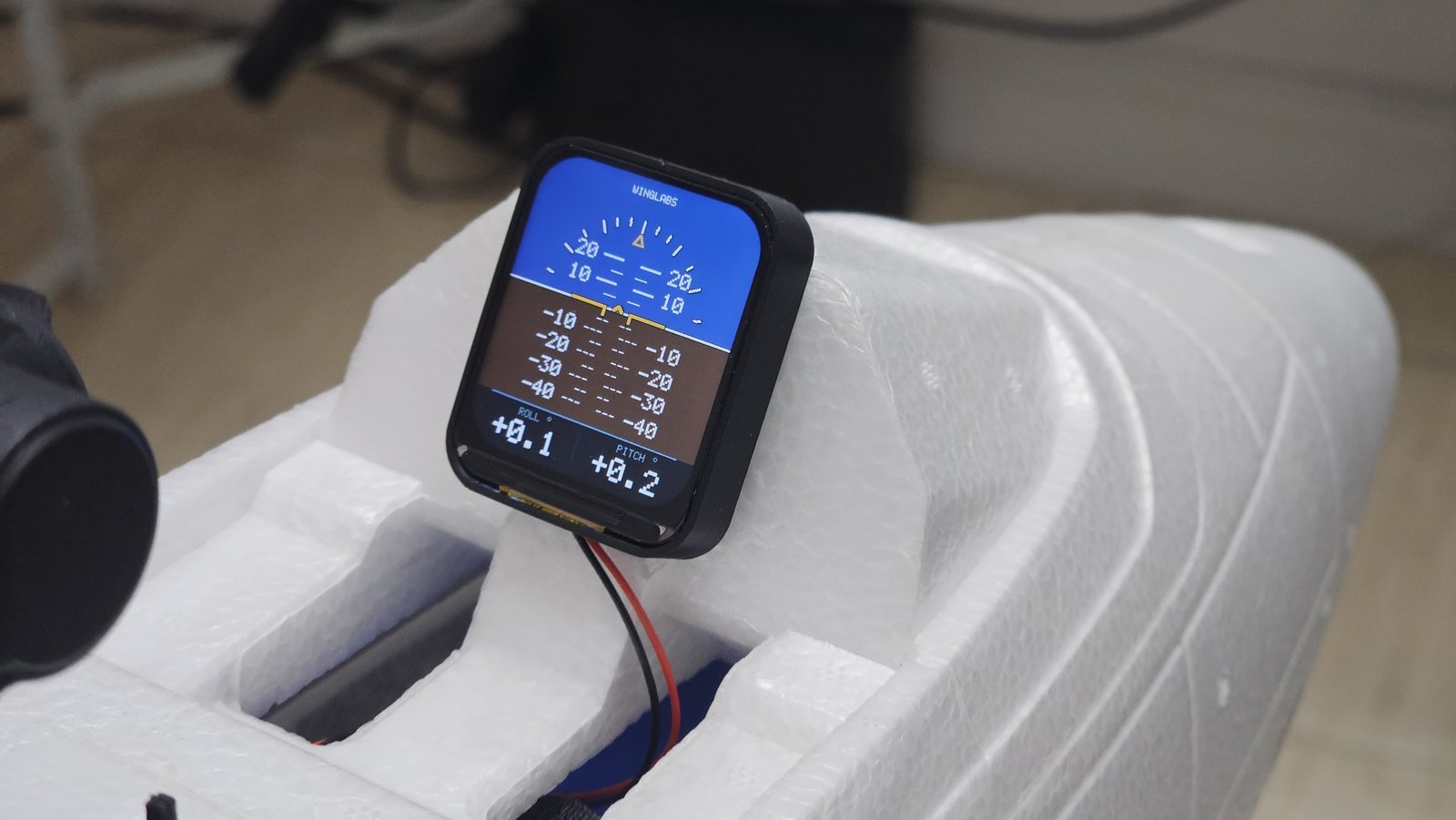
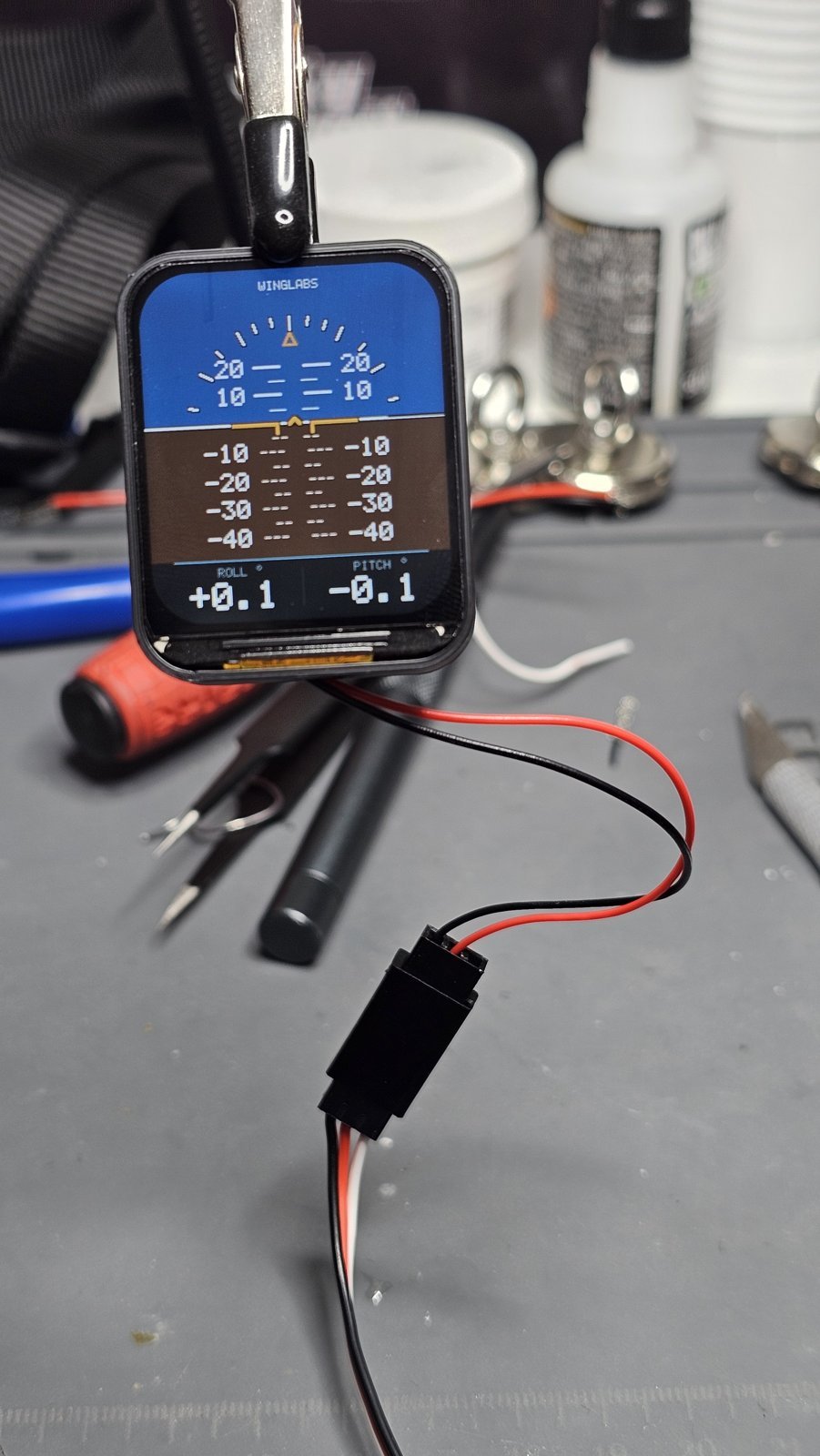
Many models rest nose-up on their landing gear, so the level reference taken on the ground isn’t quite level flight. A pitch offset from −45.0° to +45.0° corrects this and is stored permanently, surviving power cycles and firmware updates.
For setup and maintenance, the instrument opens its own low-power Wi-Fi access point for 60 seconds after power-up. From any phone, tablet or computer you can view live roll and pitch, check the device information and authenticity status, set the pitch offset and install firmware updates. Wi-Fi is strictly a bench tool: it shuts off automatically as soon as the aircraft moves.
Versions
Universal Vertical — WL-AI-V169
Portrait layout, ideal for upright instrument panels and tall cockpits.
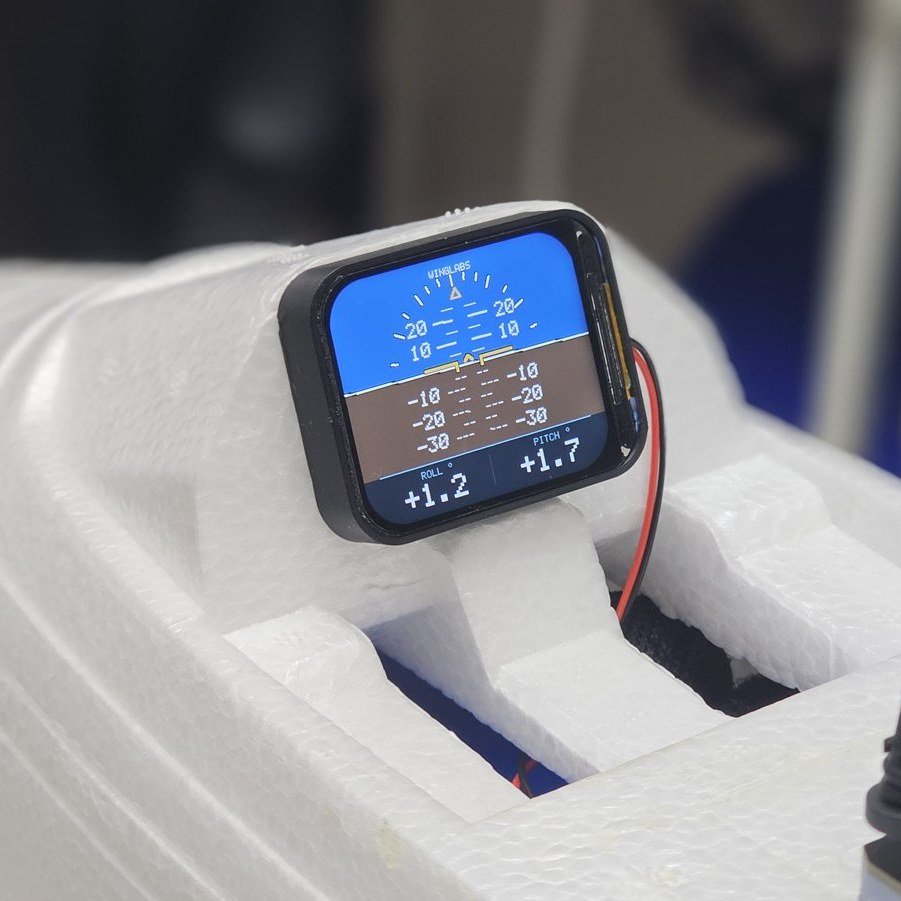
Universal Horizontal — WL-AI-H169
Landscape layout for wide or shallow instrument panels. It works exactly like the vertical model.
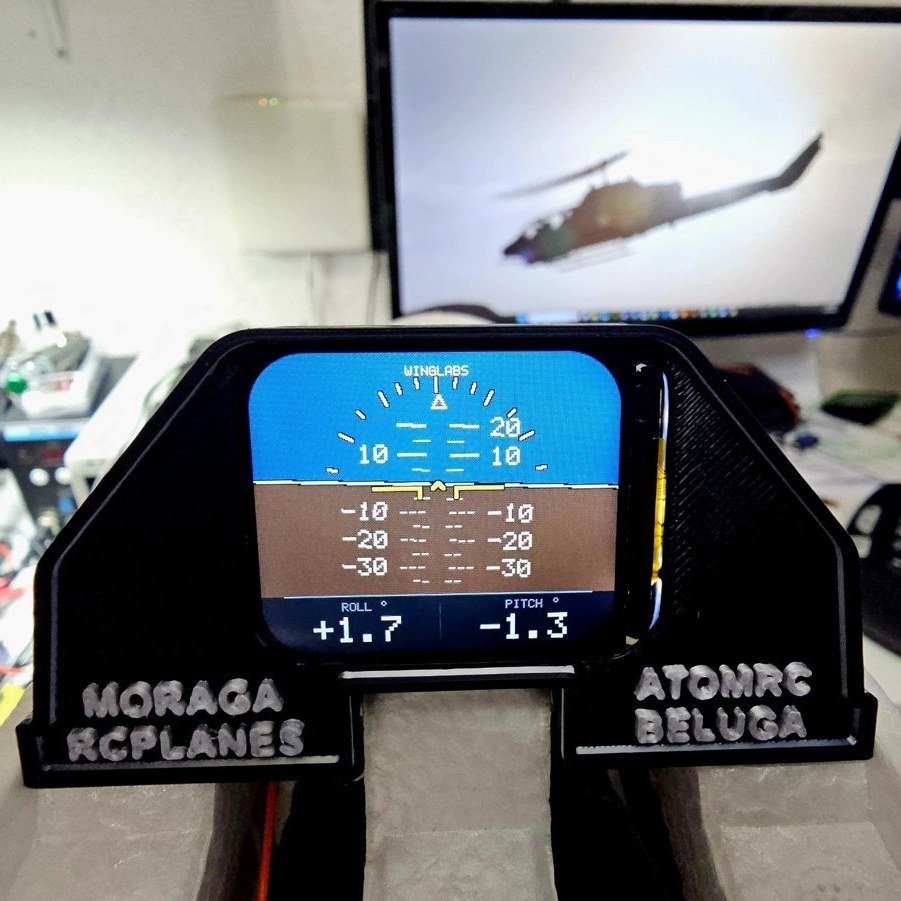
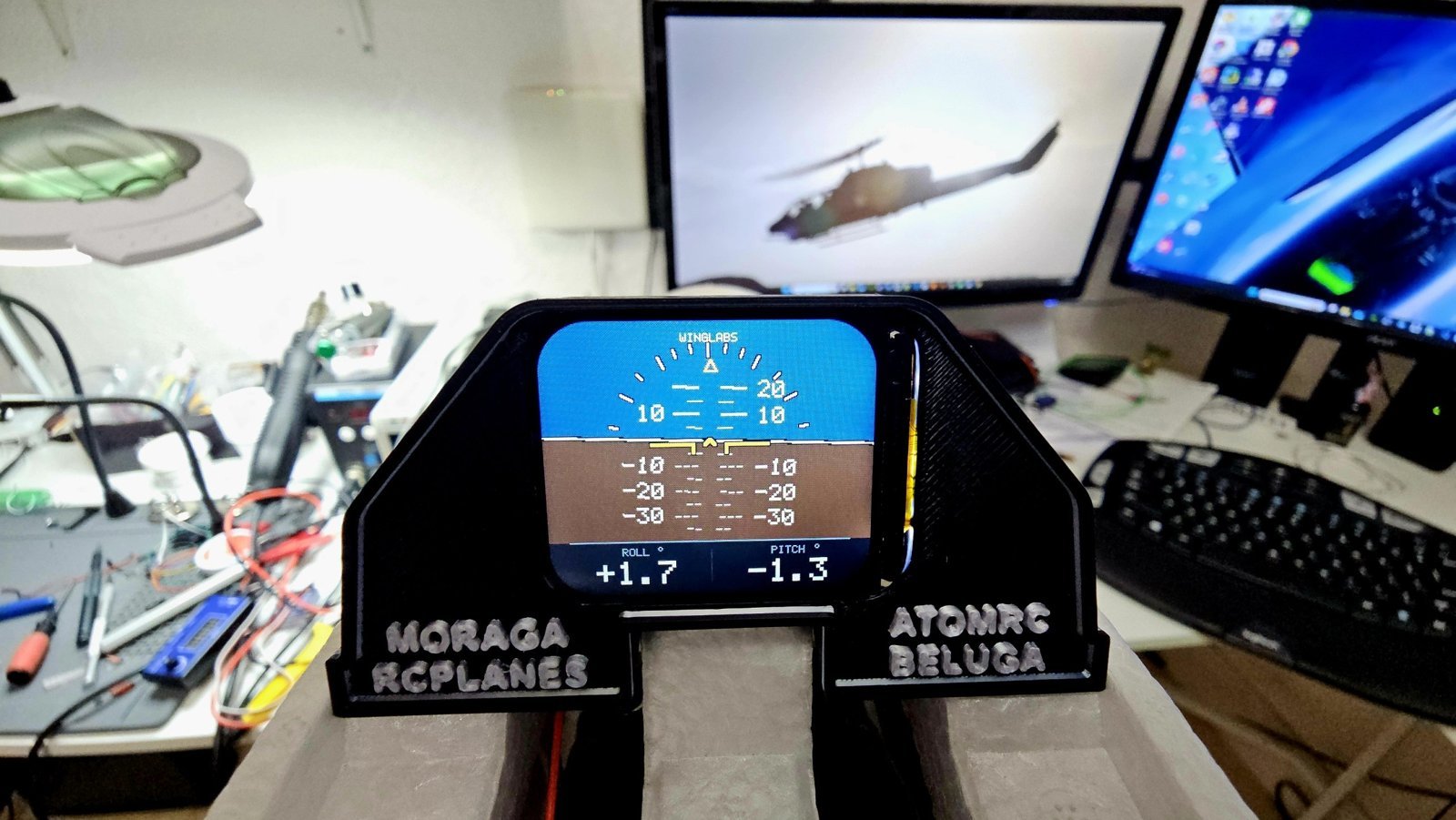
ATOMRC Beluga edition
A custom solution built around a dedicated 3D-printed cockpit panel for the ATOMRC Beluga, designed for a clean, factory-looking integration.
Specifications
| Models | WL-AI-V169 (vertical), WL-AI-H169 (horizontal) |
| Display | 1.69″ colour IPS LCD, 240 × 280 px |
| Processor | ESP32-S3 dual core, 240 MHz, 16 MB flash, 8 MB PSRAM |
| Motion sensor | QMI8658 6-axis IMU |
| Displayed range | Bank ±80°, pitch ±40° |
| Resolution | 0.1° |
| Refresh rate | Up to 25 fps |
| Start-up time | 20–30 s including calibration |
| Pitch offset | −45.0° to +45.0°, stored permanently |
| Wi-Fi | 2.4 GHz access point, about 7 mW, 60 s connection window |
| Power | 5 V (5.5 V max) via servo lead |
| Firmware | 1.5 |
| Warranty | 12 months |
Build log
- Proof of concept: ESP32-S3, IMU and colour display rendering a live artificial horizon.
- Hardware iterations through REV A, REV B and REV C.
- Standalone power-up calibration with automatic retry on movement or vibration.
- Universal vertical and horizontal models released.
- Custom 3D-printed cockpit panel for the ATOMRC Beluga.
- Firmware 1.5: Wi-Fi control panel, adjustable pitch offset, wireless firmware updates and authenticity check.
- Companion EdgeTX widgets bringing the same attitude display to colour radios.
Lessons learned
- Calibration is everything. The level reference has to be captured with the aircraft completely still; teaching the firmware to detect vibration and retry made start-up far more reliable.
- Models don’t sit level. Taildraggers and nose-up stances made a pitch offset essential, not optional.
- Wireless should stay on the bench. Keeping Wi-Fi low-power, time-limited and automatically disabled on movement keeps the 2.4 GHz band clear for the RC link.
- Integration matters as much as electronics. A good instrument needs a good panel — which is where 3D design comes in.
Documentation and safety
Full installation, setup, firmware update and troubleshooting instructions are in the WingLabs Attitude Indicator Universal – User Manual.
The attitude indicator is a visual aid for model flying only. It is not a flight instrument for navigation or control; always fly with direct visual contact with your model and follow your local model-flying rules.