WingLabs Off-Road Inclinometer (WL-OR-H169)
$89.99
Full-colour off-road inclinometer for your 4×4. Shows roll and pitch in real time, with configurable tilt alerts on screen and with sound. Powered by USB-C, no wiring needed. Free shipping within the US.
Description
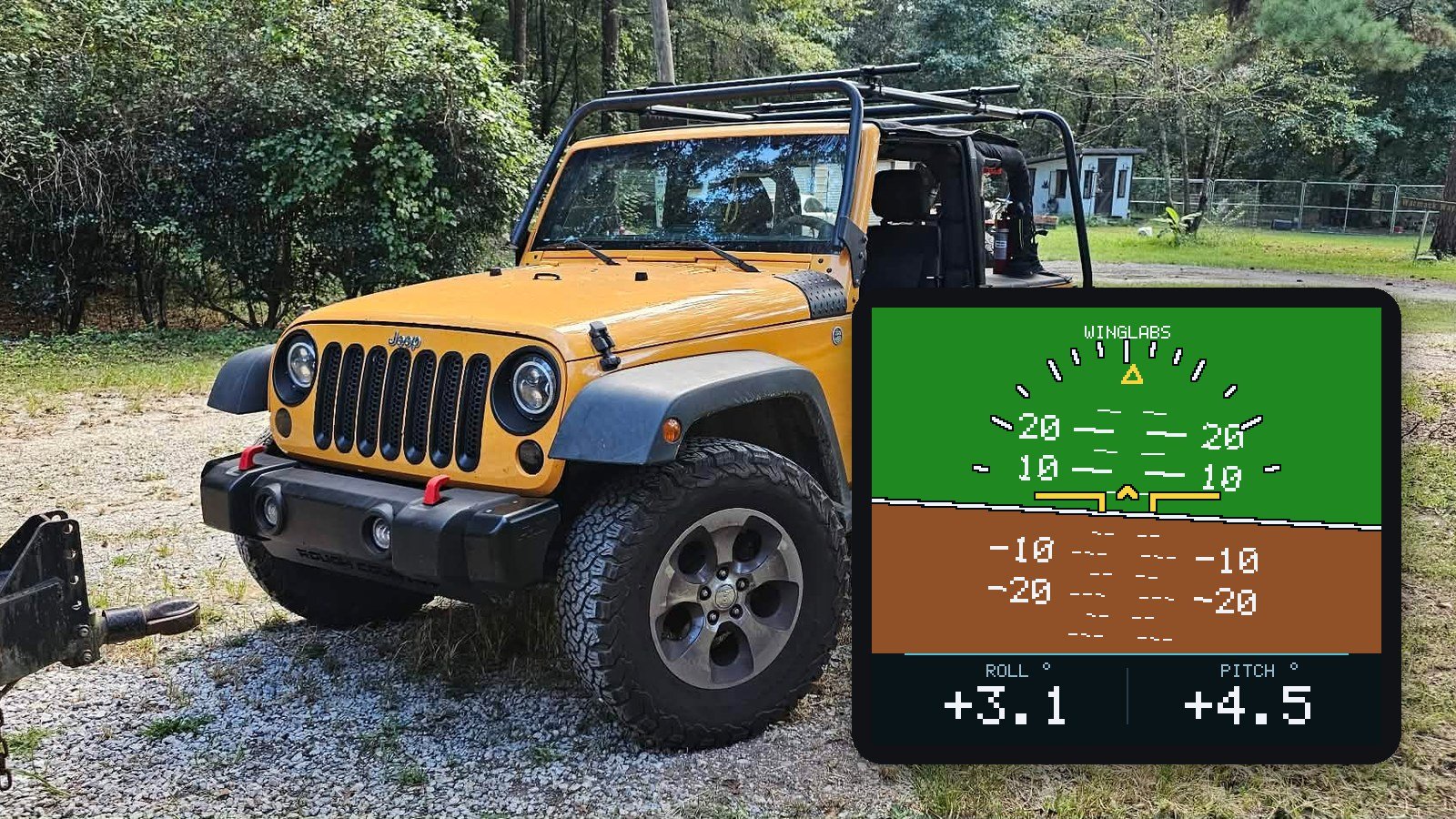
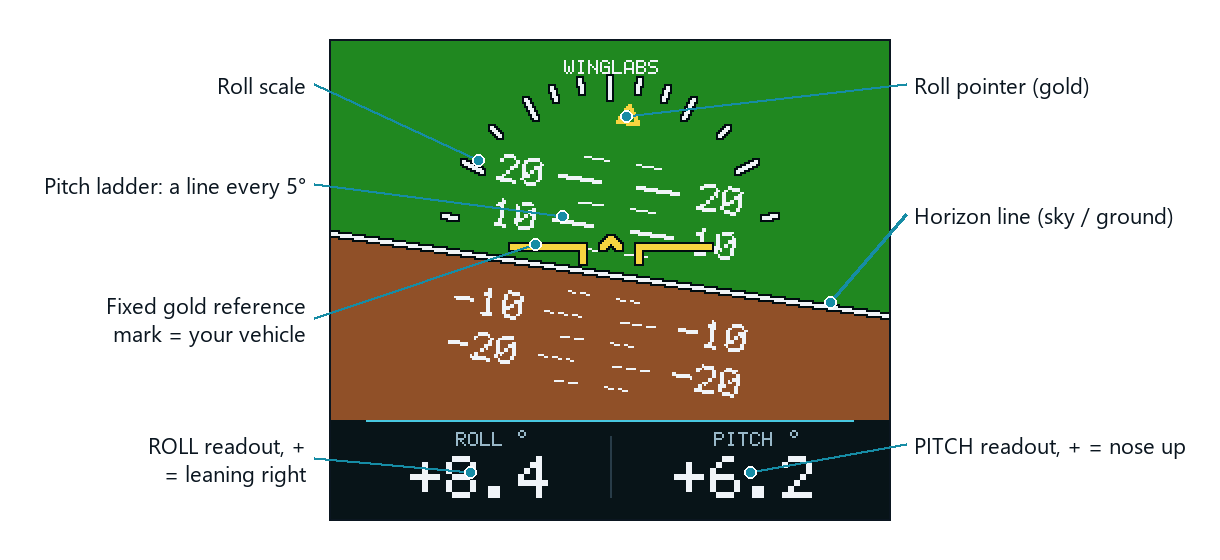
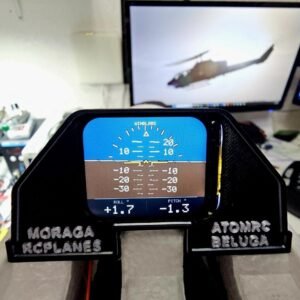
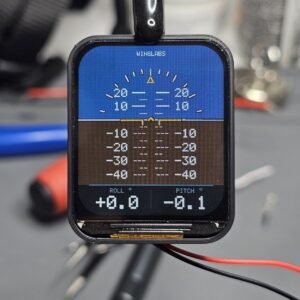
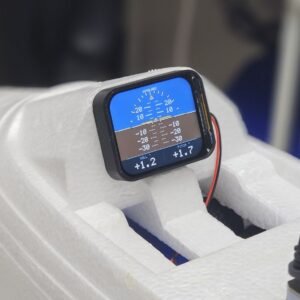
A compact, full-colour inclinometer for your off-road vehicle. The WingLabs Off-Road Inclinometer shows in real time how far your vehicle leans to the side (roll) and how steeply it climbs or descends (pitch), from its own 6-axis motion sensor. It needs no connection to the vehicle’s electronics: plug it into any USB port for power and it does the rest.
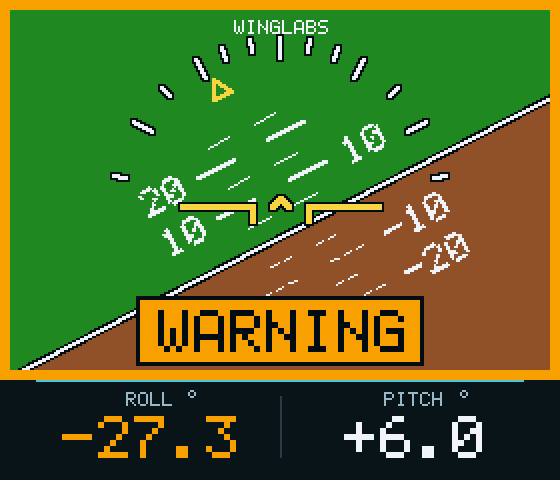
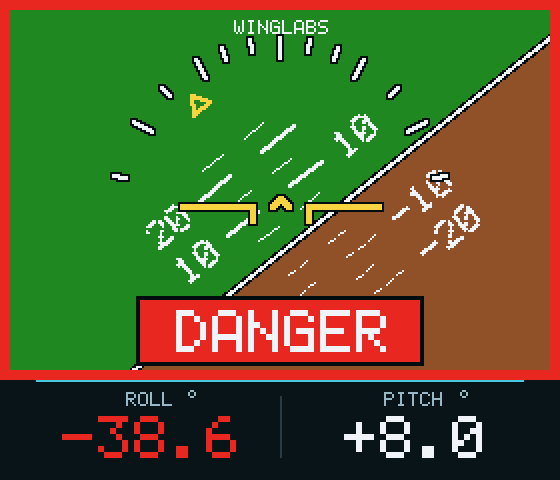
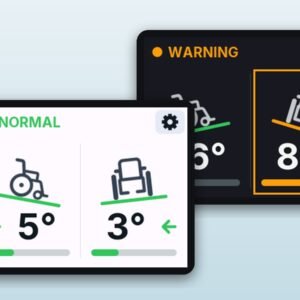
Set your own warning and danger angles for your vehicle, and the inclinometer alerts you on screen and with a tone before you reach them.
Free shipping within the United States. The box contains the inclinometer only: use your own USB-C cable and, if needed, a 12 V USB adapter (5 V, at least 1 A).
Features
- Live roll and pitch with a moving horizon, pitch ladder and roll scale, plus numeric readouts to 0.1°.
- Configurable tilt alerts: amber WARNING and flashing red DANGER, with separate angles for roll and pitch and an alert sound that can be switched off.
- Set Level: store your vehicle’s level once and every reading is measured from it, wherever you switch on.
- Wi-Fi control panel from any phone, tablet or computer: live values, display orientation, level, pitch offset, alerts and firmware updates. No app and no internet needed.
- Mount it either way: USB-C port at the bottom or at the top, to suit your cable route.
- Starts with the ignition when plugged into an ignition-switched USB port; engine vibration does not disturb calibration.
- Authenticity check: every unit carries a unique serial number and a hardware-protected credential.
Specifications
| Model | WL-OR-H169, landscape display, USB-C at the bottom or at the top |
| Display | 1.69″ colour IPS LCD, 280 x 240 pixels |
| Processor | ESP32-S3 dual core, 240 MHz, 16 MB flash, 8 MB PSRAM |
| Motion sensor | QMI8658 6-axis (3-axis gyroscope, 3-axis accelerometer) |
| Displayed range | Roll 360°, pitch ±90° |
| Readout resolution | 0.1° |
| Display refresh | Up to 25 frames per second |
| Start-up time | 20 to 30 seconds including calibration |
| Tilt alerts | WARNING and DANGER, separate roll and pitch angles, 5° to 80°; factory roll 25°/35°, pitch 30°/40° |
| Alert sound | Built-in buzzer, can be switched off |
| Wi-Fi | 2.4 GHz access point, low power (about 7 mW); control panel at 192.168.4.1 |
| Power | 5 V through USB-C, from a vehicle USB port or a 12 V USB adapter (at least 1 A) |
| Firmware | 1.8.1, updatable over Wi-Fi |
Important
- Use 5 V USB only. Never connect the unit directly to the vehicle’s 12 V wiring: it will damage the unit and is not covered by the warranty.
- Mount it rigidly, clear of airbags and of your view of the road.
- A driving aid, not a safety device. It does not know when your vehicle will tip over: always drive within the limits recommended by your vehicle’s manufacturer.
Read the full user manual before installing.
- Any off-road or 4x4 vehicle with a USB port or a 12 V socket
- Power: 5 V USB-C (vehicle USB port or 12 V USB adapter, at least 1 A)
- NOT for direct connection to 12 V wiring
- WingLabs Off-Road Inclinometer (WL-OR-H169)
- USB-C cable and mounting hardware not included
Installation
Mount the inclinometer rigidly on the dashboard or a console, screen facing the driver, top edge level from side to side, clear of airbags and of your view. Connect it with a USB-C cable to a vehicle USB port or a 12 V USB adapter (5 V, at least 1 A). Then park on level ground and store the level reference with Set Level from the Wi-Fi control panel, and set your tilt alert angles.
Resources
Does it need to be wired into my vehicle?
No. It only takes 5 V power through USB-C from a USB port or a 12 V USB adapter. There is no connection to the vehicle's electronics.
Can I connect it directly to 12 V?
No. Use 5 V USB only. A direct 12 V connection will damage the unit and is not covered by the warranty.
At what angles does it warn me?
You set them yourself in the control panel. Factory settings are 25°/35° for roll and 30°/40° for pitch (warning/danger), but you should set them for your own vehicle, lift, tyres and load.
Does engine vibration affect it?
No. Calibration was tested on a Jeep dashboard at idle and at 2500 rpm.
How do I connect to the control panel?
Within 60 seconds of power-up, join the WingLabs Wi-Fi network (password winglabs) and open http://192.168.4.1.
Can I update the firmware?
Yes, over Wi-Fi from the control panel using an official WingLabs .bin file for your model. It takes about one minute.
What is the warranty?
12 months against defects in materials and workmanship. A wrong power source, accidents, rollovers and opening the unit are not covered.
Only logged in customers who have purchased this product may leave a review.
Reviews
There are no reviews yet.